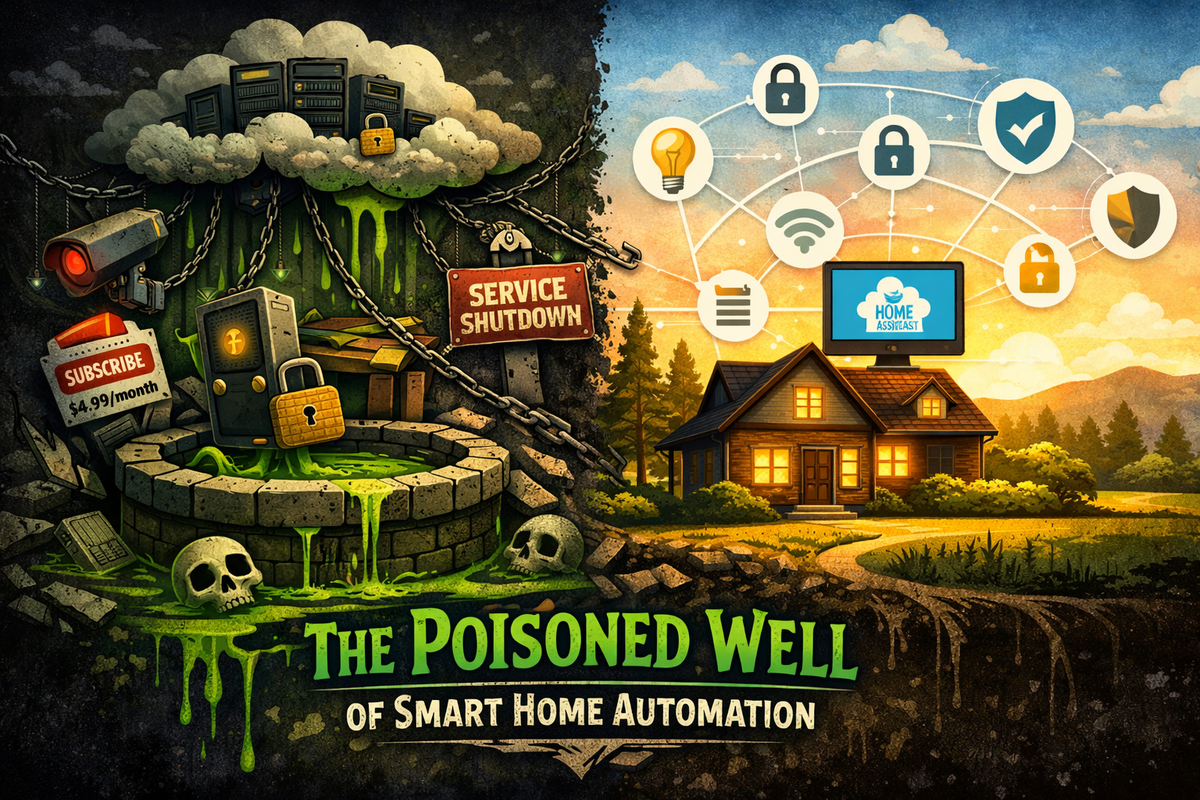
The Poisoned Well of Smart Home Automation
I see it all the time on LinkedIn.
Security people, software engineers, DevOps guys (people who understand tech better than anyone) all posting the same take: "I'll never put a smart device in my house."
And honestly? I get it. The security is garbage. The privacy issues are real. Companies shut down services and brick your stuff. All valid concerns.
But here's what frustrates me: Smart home automation is genuinely useful when done right.
Is it necessary? No. But neither is a dishwasher or a garage door opener. We use those because they make life easier. Lights that adjust throughout the day. Thermostats that learn your schedule. Alerts before your water heater causes $5,000 in damage. This stuff works.
The problem isn't the technology. It's how companies are implementing it. Cloud-dependent. Insecure. Fragile. They've poisoned the well so badly that the people who should love this technology want nothing to do with it.
Let's break down why and what you can do about it.
The Cloud Trap
Cloud services make sense for enterprises. The business case is clear when you have:
- Distributed teams working across multiple locations
- SLAs guaranteeing 99.99% uptime
- Dedicated IT staff managing failover systems
- Budgets for redundant internet connections
- Requirements for centralized management and compliance
In these environments, cloud infrastructure solves real problems. AWS, Azure, and Google Cloud provide value by enabling scale, redundancy, and remote access that would be cost prohibitive to build in house.
But your home isn't an enterprise. Residential environments operate under completely different constraints:
- Single internet connection with no SLA
- ISP outages lasting hours or days
- No backup connection when primary service fails
- Devices sitting on the same local network as your phone
- No IT department to manage anything
So why are manufacturers applying enterprise cloud architecture to residential devices?
Because it benefits them, not you.
The Cloud Dependency Problem
Most modern smart home devices do have basic local functionality, lights respond to switches, leak detectors sound alarms, locks work with keypads. But everything else requires cloud: remote notifications, integrations, logging, dashboards, firmware updates, voice control.
None of these features actually need cloud infrastructure. Let me show you why that matters.
Cloud-dependent path: Sensor → Local alarm → WiFi → ISP → DNS → Cloud server → Server processing → Return routing → Push notification service → Your phone
That's 8 external dependencies. If each has 99.9% uptime (generous for residential internet), combined uptime = 99.2%. About 70 hours of downtime per year. Any single failure breaks the chain.
Local-first path: Sensor → Local alarm (zero dependencies) → Local network → Local hub → Optional notification
Critical alarm function: Zero dependencies. Works regardless. Notifications: 2-3 dependencies instead of 8.
The difference is architectural. Cloud-first requires every dependency operational for basic notifications. Local first handles critical functions with zero external dependencies - notifications are bonus features, not requirements.
Why do manufacturers choose cloud first? Not technical requirements, but business model:
- Cloud dependency enables subscription revenue
- Cloud servers collect usage data
- Cloud infrastructure lets them control product lifecycle
- It's cheaper than teaching users local configuration
You're paying for complexity that benefits them, not you.
The Security Problem
Every cloud-connected device in your home creates a potential entry point through your network security.
Think about what you're trusting: that $15 smart plug runs firmware connecting to servers you don't control, using protocols you can't inspect, sending data you can't monitor. It's essentially poking a hole through your firewall for every device you add.
Security researchers find this stuff constantly:
- Hardcoded credentials - Chirp smart locks had hardcoded passwords in their Android app, allowing anyone to remotely unlock doors (CVSS 9.1/10 severity)
- Unencrypted communications - Palo Alto Networks found 57% of IoT devices vulnerable to medium or high-severity attacks, many sending data in plaintext
- Backdoors - Chinese IoT devices with purposely-built backdoors that vendors refused to fix
- Unmaintained code - Millions of devices still use the Boa web server (discontinued in 2005) with unfixable vulnerabilities
- No update mechanism - IP cameras with hardcoded root passwords and no way to update firmware
When your device connects to the cloud, you're trusting:
- The manufacturer's security practices
- Their server infrastructure
- Every third-party service they integrate
- Their commitment to patching vulnerabilities
- That they won't get hacked
The IoT industry has a poor security track record. Industry evidence suggests these trust assumptions frequently fail.
With local only devices, your attack surface shrinks to your home network. That's it. No random cloud server getting compromised. No manufacturer database full of credentials getting leaked.
This is why I flash open-source firmware like Tasmota or ESPHome whenever possible to rip out the cloud dependency. If a device supports local-only control out of the box, I'll use that. And anything that doesn't need internet access goes on my NoT (Network of Things), a separate network that can talk to my primary network (where Home Assistant lives) but has zero internet access. If it doesn't need internet to function, why give it the access? If the device won't let me do any of these, I don't buy it.
The Service Lifecycle Problem
Cloud dependent devices create a fundamental problem: you buy hardware, but the functionality depends on services the manufacturer operates with no guaranteed lifespan.
Recent service shutdowns (2016-2024):
- Insteon (2022): Bankruptcy killed cloud services overnight, all cloud features dead
- Wink (2020): Suddenly required $4.99/month subscription for previously free services
- Nest Secure (2020): Google discontinued the entire product line
- LIFX (2020): Dropped cloud support for older bulbs despite working hardware
- Revolv (2016): Nest acquired them, then killed the platform completely
- Gigaset (2024): Servers shut down March 29, devices became paperweights
You paid $50, $100, sometimes $200 for these devices. The hardware works fine. But a company decides to shut down a server, and your stuff becomes e-waste.
Here's the economics:
- You invest: One time hardware purchase ($50-$200 per device)
- Manufacturer commits: Nothing (no service guarantee, no operational timeline)
- When they shut down: Complete functionality loss, regardless of hardware condition
- Your options: None (no refunds, no migration path, no recourse)
You don't own the device. You're renting access to their service, and they can cancel that rental whenever they want.
With local-first:
- Hardware functionality independent of manufacturer decisions
- Operational lifespan = hardware lifespan
- No ongoing costs tied to company solvency
- Open firmware means community support even after manufacturer exits
This is the difference between owning hardware and renting functionality.
The Fragmentation Problem
Cloud first architecture forces you into manufacturer specific apps instead of standardized interfaces. This creates an operational nightmare.
Typical smart home app inventory:
If you have 15-20 devices across common categories, you're likely running:
- Lighting: Philips Hue, LIFX, TP-Link Kasa
- Security: Ring, Arlo, Wyze
- Climate: Ecobee, Nest, Honeywell
- Plugs/switches: TP-Link, Wemo, Kasa
- Sensors: Aqara, SmartThings, Eufy
- Entertainment: Govee, Nanoleaf
- Locks: August, Yale, Schlage
That's 8-15 separate applications. Each with:
- Its own account credentials
- Different UI patterns
- Separate update schedules
- Individual notification settings
- Varying security implementations
- Manufacturer-specific automation interfaces
- Different levels of reliability
What this means operationally:
- N separate passwords to manage and secure
- N different apps to learn and update
- N security surfaces, each with different vulnerabilities
- N automation interfaces if you want cross-platform routines
Want to create a "leaving home" routine that turns off lights, locks doors, adjusts thermostat, and arms security? You're juggling 4+ different apps with 4+ different automation systems.
Or you add another dependency layer (IFTTT, SmartThings cloud) which just adds more failure points to the stack.
Compare to local-first with a unified hub:
- One interface (Home Assistant, HomeKit, Hubitat)
- Consistent UI/UX
- Single automation engine
- Unified notifications
- One set of credentials
- Works even when manufacturers shut down
The difference isn't subtle. It's the difference between managing one system versus managing fifteen.
The Adoption Problem (And Why It's Self-Inflicted)
Here's what kills me: Smart home tech is genuinely useful, but manufacturers are actively creating trust problems that limit broader adoption.
Security and privacy concerns remain significant barriers. Parks Associates research shows 72% of consumers are concerned about data security, and 25% of the market is hesitant to adopt technology specifically because of privacy concerns. When technical users won't recommend these products due to security issues, that's a trust problem, not a technology problem.
People are right to be skeptical when:
- Devices die because companies shut down servers
- $200 smart locks suddenly need subscriptions
- Security researchers find baby monitors streaming to random IPs
- Firmware updates brick stuff
- Lights don't work because AWS is down
- You need 15 apps just to control your house
This isn't a tech problem. This is companies picking business models that poison the whole market.
The irony: Technology that should make life simpler has become so complex, fragile, and sketchy that the people who understand it best actively avoid it.
Why Companies Made These Choices:
- Recurring revenue - Subscriptions = ongoing money
- Cheaper hardware - Push processing to servers, cut costs
- Easier updates - Server pushes instead of local firmware management
- Data collection - User behavior analytics to sell or improve products
- Vendor lock-in - Control ecosystem, block competition
Every single one benefits manufacturers at users' expense. And technical users see right through it.
How Companies Can Fix This
The solution is simple: Make local control default, cloud optional.
Here's how it should work:
- Device works totally local out of the box
- Cloud features are extras (remote access, voice assistants)
- When cloud dies, device still works
- One local hub manages everything, not 10 apps
- Security built in, not bolted on
Some companies already get this:
- Philips Hue - Works locally with Zigbee, cloud optional
- UniFi - Self-hosted controller, cloud optional
- Home Assistant - Local by default, cloud available
- Zigbee/Z-Wave - Local mesh, cloud optional
- Matter - New standard specifically for local control
Companies that go local-first will win back trust from technical users who influence everyone else's buying decisions. Those are the people writing reviews, making recommendations, and setting up systems for family and friends.
Win the technical evangelists, win the market.
Why I'm Not Giving Up On Smart Home
I'm one of those tech people. I read the security advisories. I know how bad the vulnerabilities are. I've seen the service shutdowns.
But I'm not letting bad products kill useful technology.
Home automation genuinely makes my life better. Not because it's "cool" or because I can show it off. It solves actual problems:
- Lights that adjust throughout the day save energy and I don't have to think about it
- Leak detection caught my AC drain clog before it became a $5,000 disaster
- Climate control learns my patterns and I don't waste money heating/cooling an empty house
- Security monitoring that actually alerts me when something's wrong
This stuff is valuable. It works. But only when it's built right.
So instead of writing off smart home entirely, I build it the way it should have been from the start:
My Rules:
- Critical stuff works locally - No internet needed for basic operation
- Open source firmware when I can - Tasmota, ESPHome, custom builds
- One local hub runs everything - Home Assistant manages it all
- Cloud is optional - Remote access when I want it, not required
- No vendor apps - Everything through one interface
- Least privilege networking - If a device doesn't need internet, it goes on my NoT (Network of Things) - can talk to Home Assistant, but zero internet access
What That Actually Looks Like:
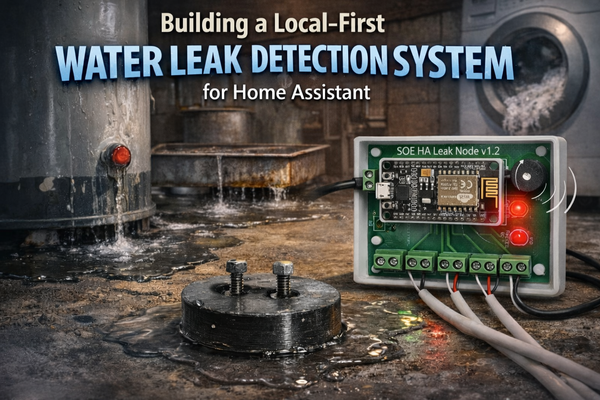
My leak detector: ESP8266 + ESPHome + Home Assistant. Local alarm, local notifications, local logging. $80 total. Works indefinitely. No company can kill it.
My lights and switches: Tasmota firmware. Ripped out the cloud garbage. Pure local control.
My sensors: Zigbee to Home Assistant. Local mesh. No cloud.
Was it more work upfront? Yeah. But now I have zero subscriptions, zero app sprawl, zero service shutdowns, and zero cloud security vulnerabilities.
More importantly: It works the way smart home should work. Reliable. Secure. Under my control. Makes life simpler instead of more complicated.
Conclusion
I get the skepticism. When you see the security holes, cloud dependencies, service shutdowns, and fifteen different apps, "I'll never put this in my house" makes sense.
But I refuse to let companies ruin good technology with bad business decisions.
Home automation done right genuinely makes life better. It's not about showing off or being trendy. It's about lights that work the way you want them to, climate control that doesn't waste energy, and getting alerts before small problems become expensive disasters.
The difference between "smart home is a security nightmare I'll never touch" and "smart home is genuinely useful" comes down to one thing: local control.
- No cloud overhead routing everything through distant servers
- No security vulnerabilities from exposing devices to the internet
- No service shutdowns bricking your hardware
- No subscription fees for basic functionality
- No fifteen apps - just one interface that controls everything
Local-first smart home works. It's more reliable, more secure, simpler to manage, and you actually own it.
The next time you see someone post "I'll never put a smart device in my house," I want them to be wrong. Not because they're paranoid, but because the industry finally builds devices worth trusting.
Until then, the Home Assistant community is showing how it should be done.
People Doing It Right
While manufacturers figure things out, there's a growing community of makers building local-first devices the right way. These aren't massive companies, they're engineers and tinkerers who saw the same problems and decided to build solutions.
If you're interested in supporting local first smart home but don't want to DIY everything, check out what the Home Assistant community is building:
FutureProofHomes built a completely offline, private voice assistant using ESPHome. No cloud. No always-on microphone sending your conversations to Amazon or Google. Just local voice control that works even when your internet is down.
Everything Smart Home designed all-in-one presence sensors that are entirely local. No cloud services required. They work with Home Assistant out of the box and handle everything from motion detection to room presence without ever phoning home.
Both built on ESPHome, both completely local, both proving that you don't need cloud infrastructure to make smart devices that actually work.
Smart home doesn't have to be a poisoned well. Between DIY builds and community made devices, you can have automation that's reliable, secure, and actually yours.
I'll be writing more about my own local first builds in future articles: leak detectors, custom sensors, network architecture, and the lessons learned along the way.
Subscribe via RSS for updates on local-first smart home builds.