How I Used AI to Take the Chaos Out of Dinner Part 2
Part 2 – Under the Hood: How the Meal Prep Engine Actually Works
Now for the gears and wires.
Underneath the story, the Meal Prep Engine is basically:
- A set of rulebooks (MealPrepInstructions.md and MealHistory.md, ).
- A structured conversation flow with a review step.
- A simple HTML + local hosting setup that plugs into our kitchen tablet.
This is Part 2 of my Meal Prep Engine write-up.
If you want the “why” and the family side of the story, start with Part 1 – Slightly Overengineered Meals: How I Used AI to Take the Chaos Out of Dinner.
1. Logic & Rulebooks
The AI doesn’t just wing it every time. It reads from a few core documents.
MealPrepInstructions.md
This is the main contract. It defines:
- Who the AI is:
- An expert meal prep chef and nutrition-focused instructor.
- Helping a busy family with teens and a specific calorie/macro setup.
- My meal prep rules:
- 10 containers per week.
- Each container: 2 cups.
- High protein, high fiber, under 650 calories.
- Up to 3 main proteins per week.
- All major proteins cooked on Sunday.
- Healthy sweets rules:
- Help curb cravings.
- Prefer higher protein when practical.
- Keep calories ~200 per serving.
- Teen dinner rules:
- Reuse Sunday’s prepped proteins.
- One recipe per weeknight (Mon–Fri).
- Real cooking skills (knife work, basic sauces, oven use), not just “dump and microwave.”
- Difficulty appropriate for tired teenagers on a school night.
- Include a small Science Corner blurb to teach something about cooking or nutrition.
- Pantry and preferences:
- Always ask what needs to be used from the pantry.
- Respect weekly cuisine preferences and “no-go” categories.
- Respect banned ingredients (e.g., “no tofu,” “no turkey”).
- Outputs:
- Meal prep plan (timeline + steps).
- Teen dinner recipes with Science Corner notes.
- Grocery list in store-style units.
- Recipe cards.
MealHistory.md
This acts like long-term memory:
- Weeks, dates, and notes.
- Proteins used.
- Recipes used.
- Teen feedback (liked / meh / hard pass).
- Complexity notes (too many steps, too spicy, etc.).
The AI uses this to:
- Avoid serving the same chili every other week.
- Rotate favorites back in on purpose.
- Keep a good mix of cuisines and protein types.
Science Corner Concept
This idea is encoded in the instructions:
- Each teen recipe gets a short Science Corner section.
- Topics: food safety, heat, protein, fiber, digestion, flavor chemistry, etc.
- Goal: teens learn why they’re doing things, not just what to do.
2. The Conversation Flow (With a Review Layer)
Each weekly run follows a deliberate flow.
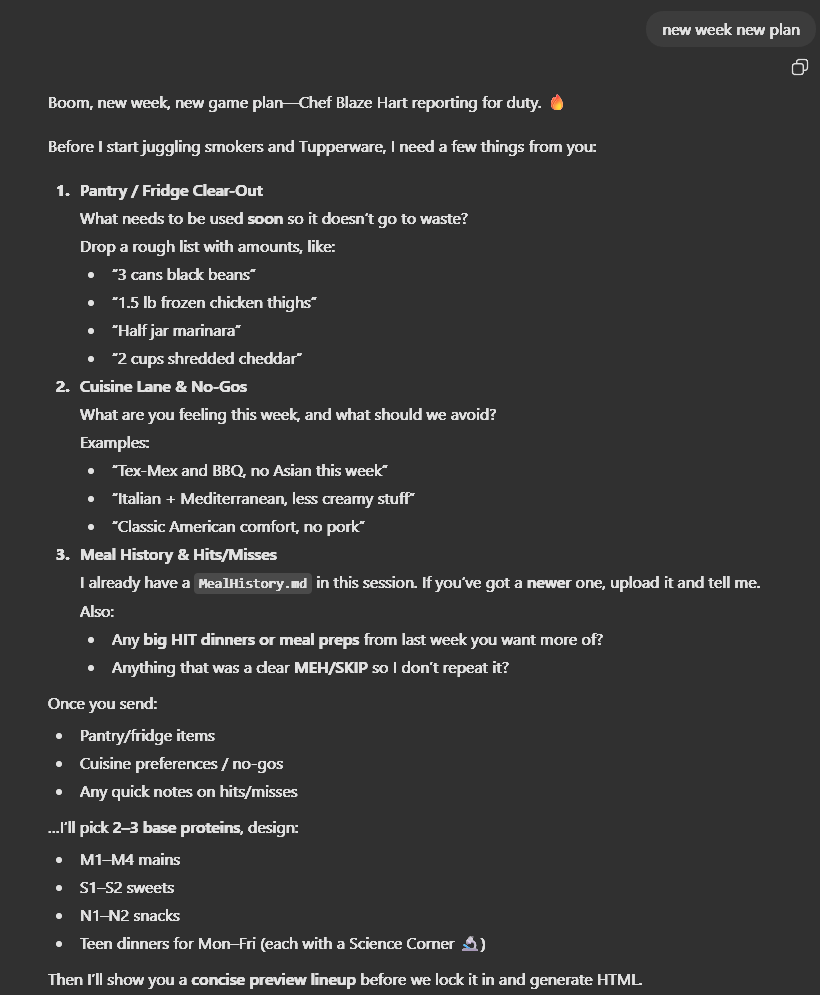
Phase 1 – Questions
The GPT starts by asking:
- “What ingredients do you already have that you want to use?”
- “Any cuisines you want more of or want to avoid this week?”
- “Any proteins or ingredients you’d like to skip?”
I reply with something like:
“Canned diced tomatoes, apples, chia seeds, lots of ramen. No Asian this week. Avoid turkey.”
It also silently checks MealHistory.md to see:
- What we’ve used recently.
- Which recipes to avoid repeating right away.
- Which flavors we might be due to revisit.
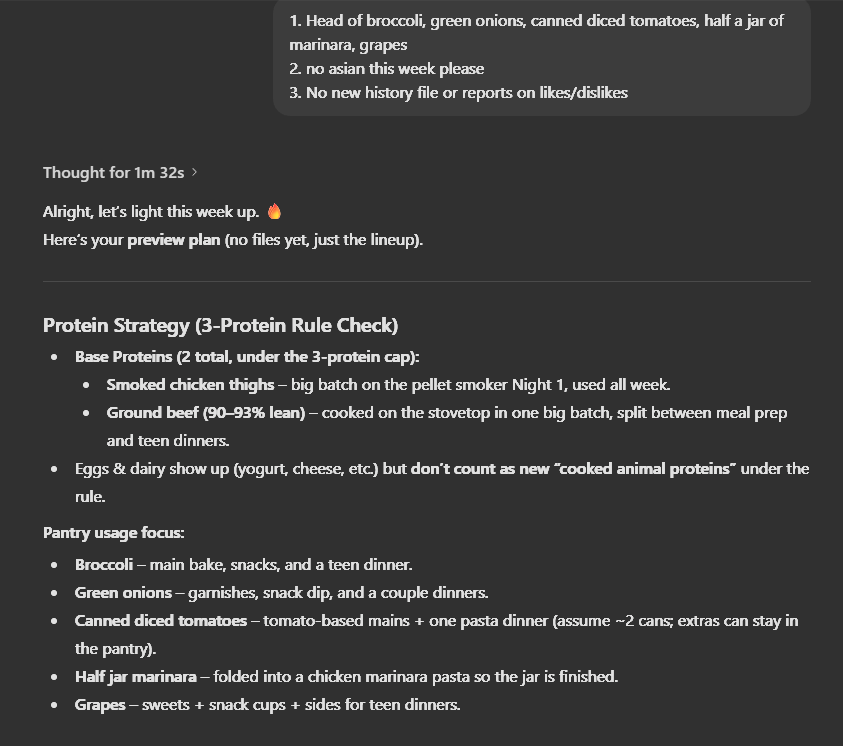
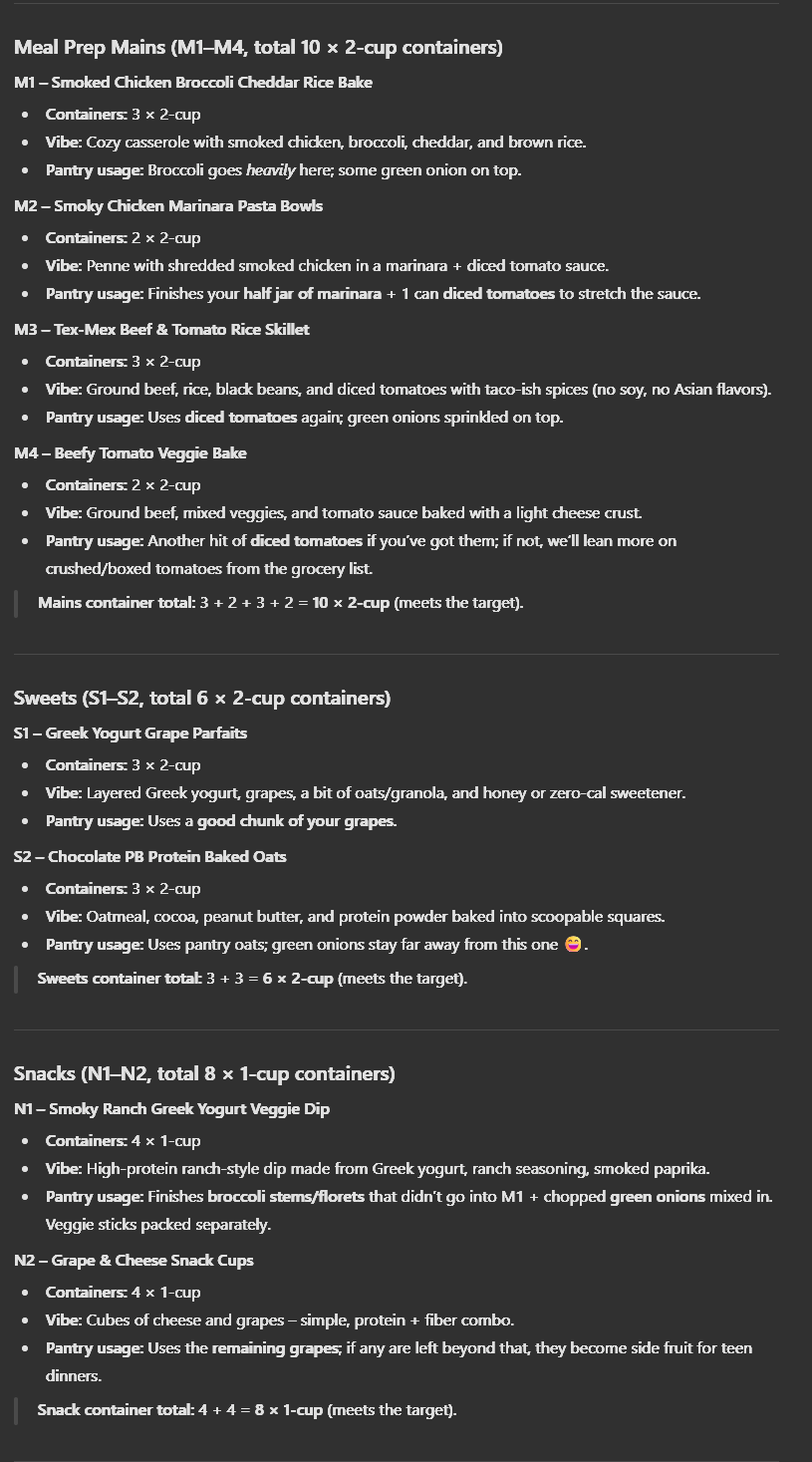
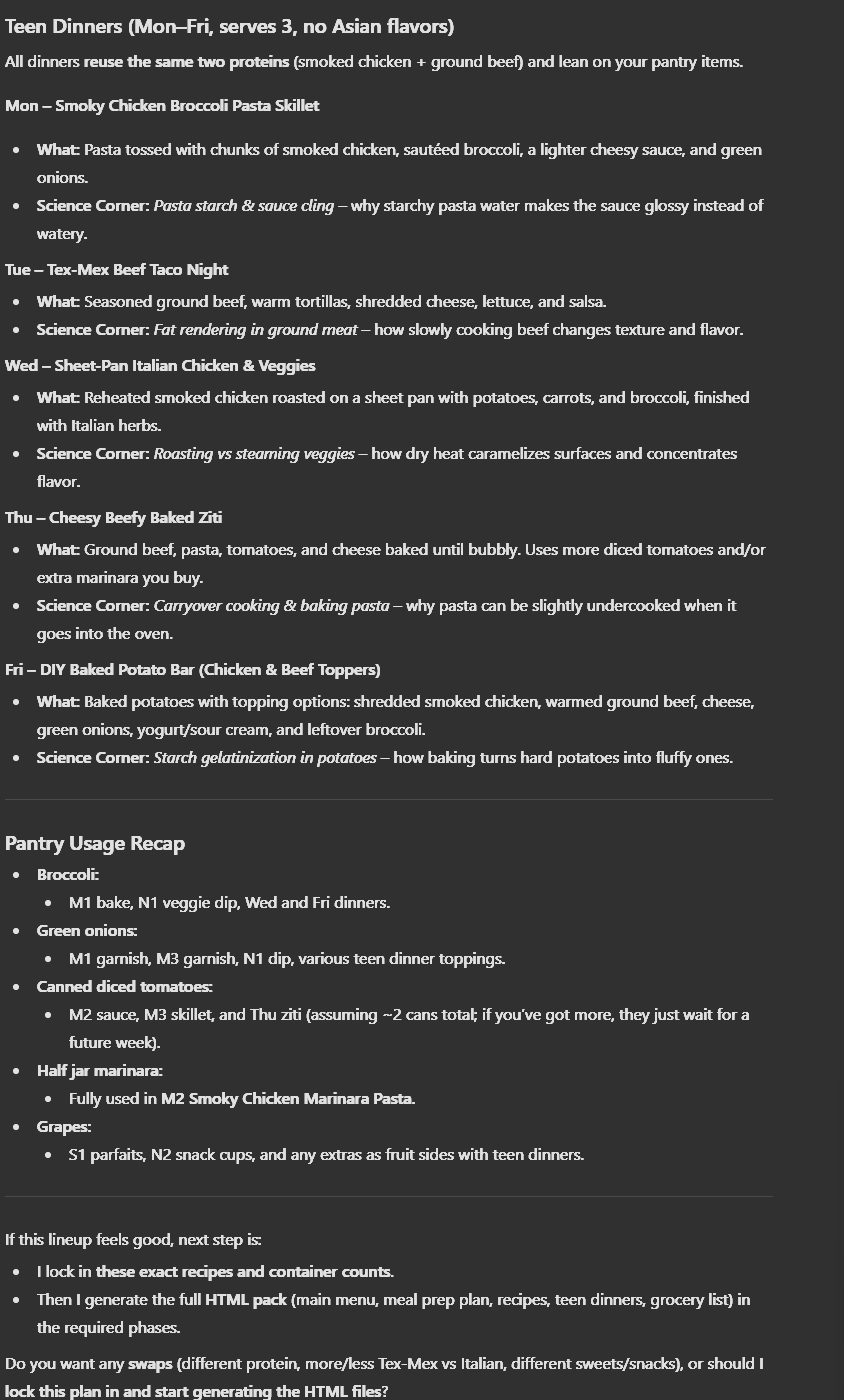
Phase 2 – Draft Plan (No HTML Yet)
Next, it creates a draft plan in summary form:
- A list of 10 container recipes:
- Title
- Main protein
- Rough flavor style
- Estimated calories/macros
- A few healthy sweets options.
- A lineup of teen dinners:
- Title
- Which prepped protein it uses
- High-level difficulty
This is intentionally compact. No full recipes yet—just a weekly lineup I can look at and poke.
Phase 3 – Human Review & Tweaks
Before we generate anything heavy:
- I review the lineup.
- I request changes, like:
- “Swap one chicken meal for ground beef.”
- “Add at least one sheet-pan style teen dinner.”
- “Use up more apples.”
The GPT revises the plan and presents an updated lineup. We repeat that once or twice until it looks right.
Only then do we say, in effect: “Lock it. Let’s build this.”
This review step saves:
- Time (no regenerating full recipes over one small change).
- Frustration (less “ugh, that’s too similar to last week”).
3. Output: From Approved Plan to HTML
Once the weekly plan is approved, the GPT shifts into generation mode.
To keep things solid, we do one file at a time.
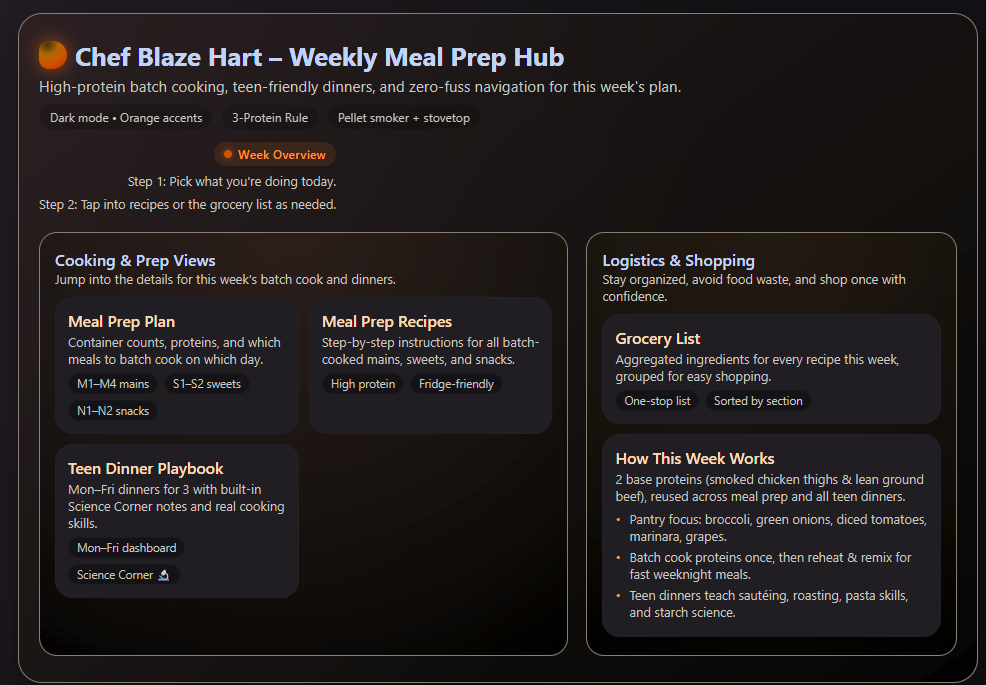
- meal-prep-plan.html
Includes:
- High-level summary of the week’s containers and proteins.
- A Sunday timeline:
- When to preheat smoker/oven.
- Parallel tasks to run at the same time.
- Recommended order of operations to stay under the time budget.
- Step-by-step instructions for:
- Cooking each protein.
- Portioning into containers.
- Labeling and storing.
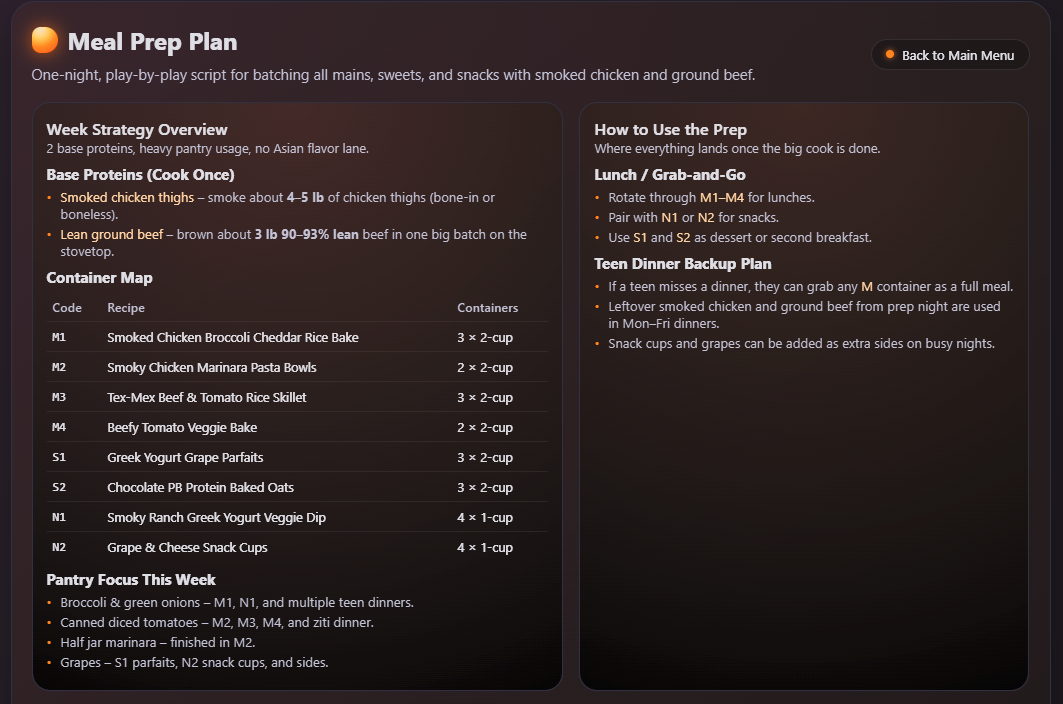
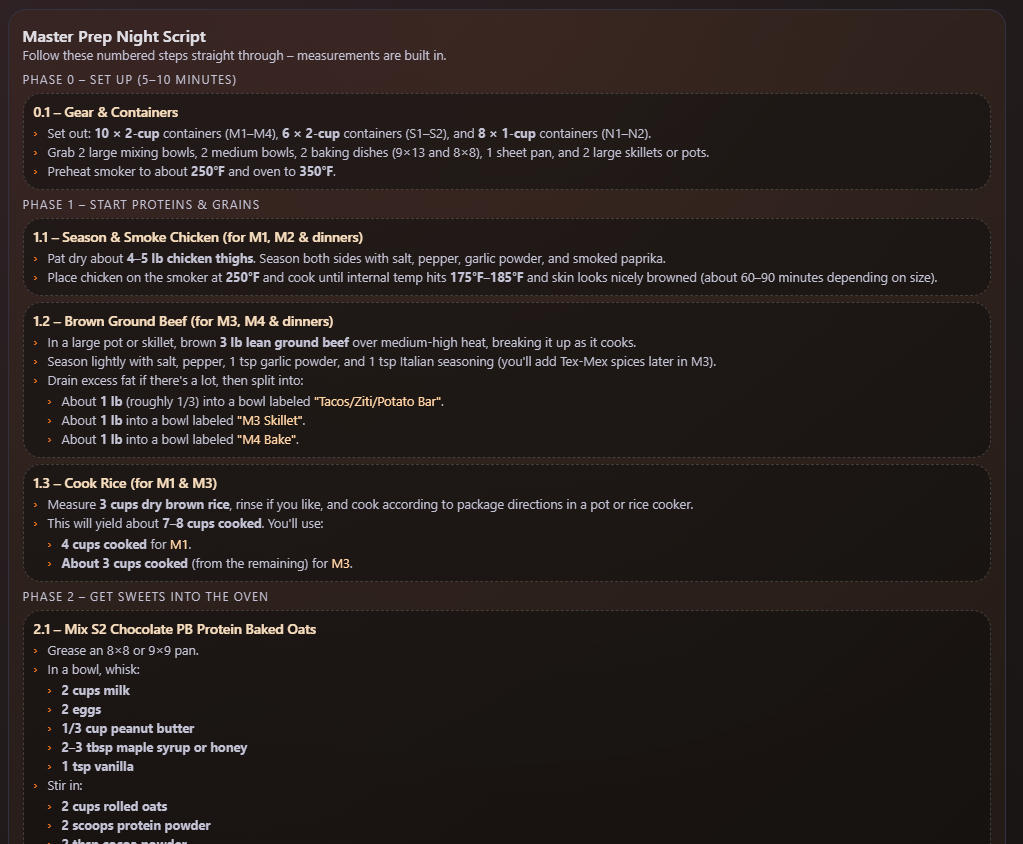
Screen Shots Meal-Prep-Plan.html
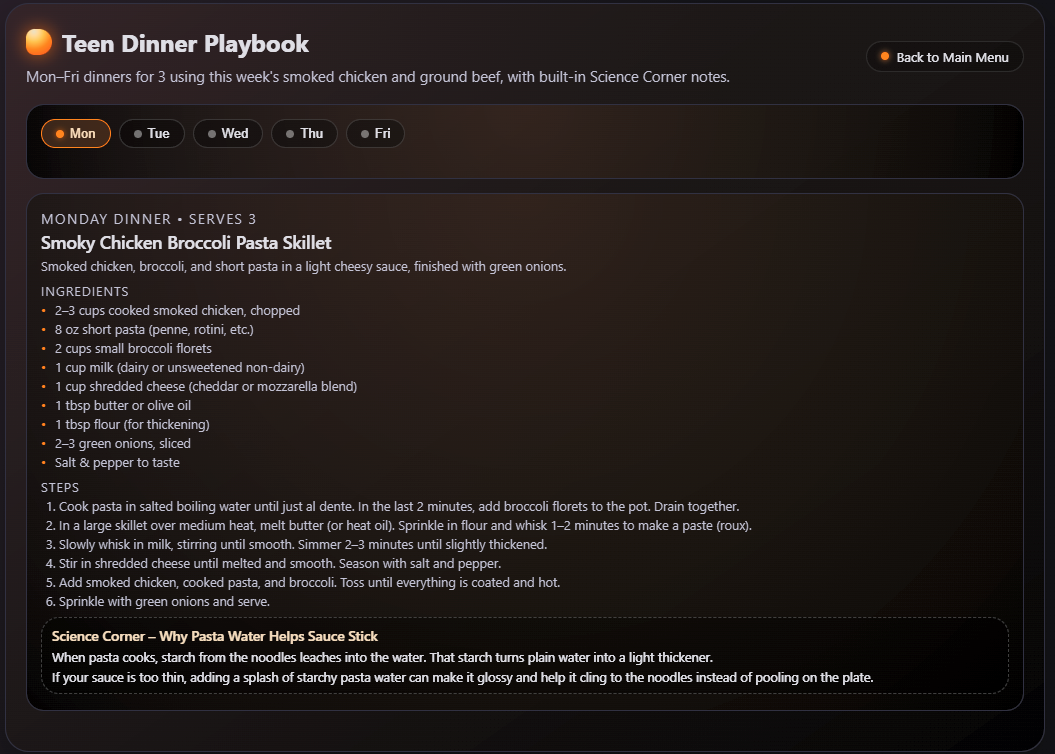
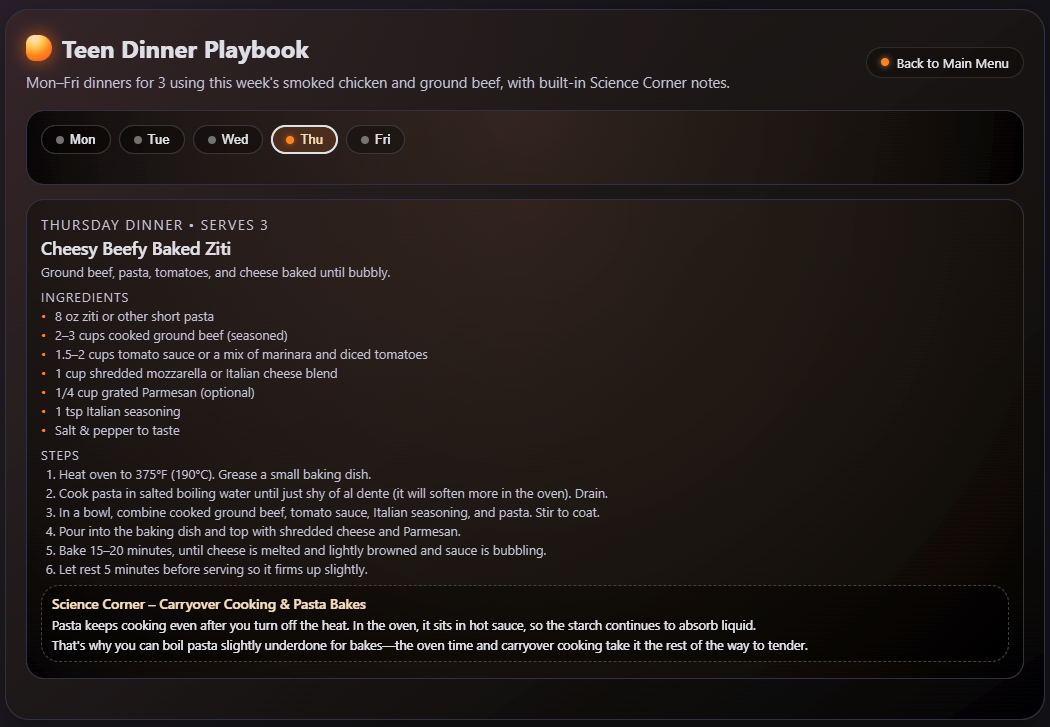
2.teen-dinners-html
Includes:
- Sections for each weekday (Mon–Fri).
- For each recipe:
- Ingredients list.
- Simple equipment list.
- Clear, numbered steps.
- A short Science Corner paragraph at the end.
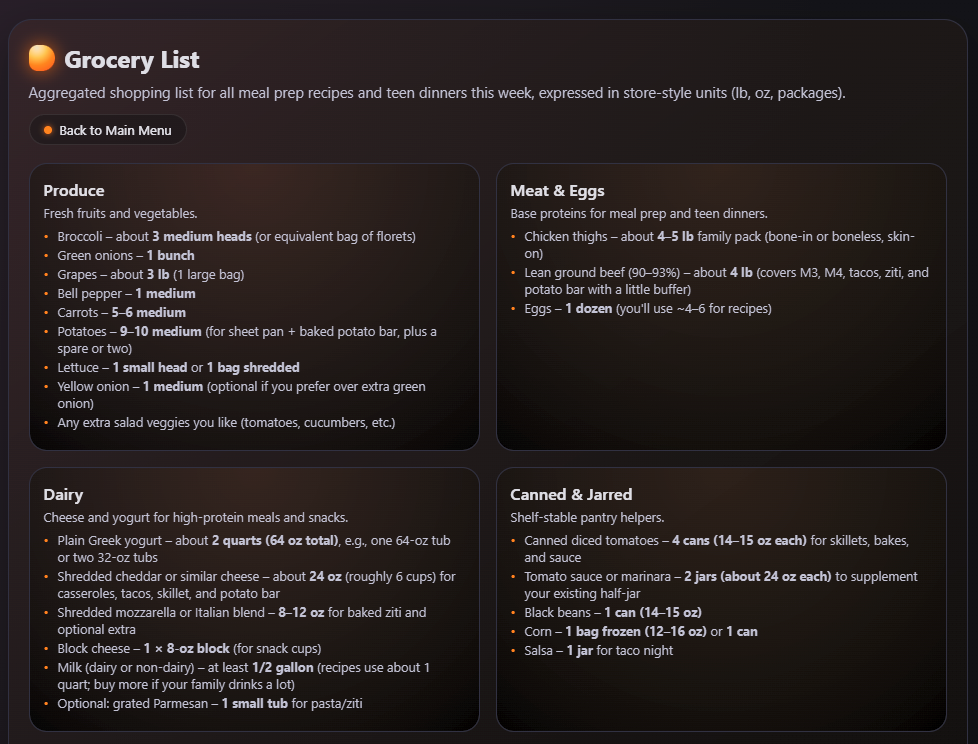
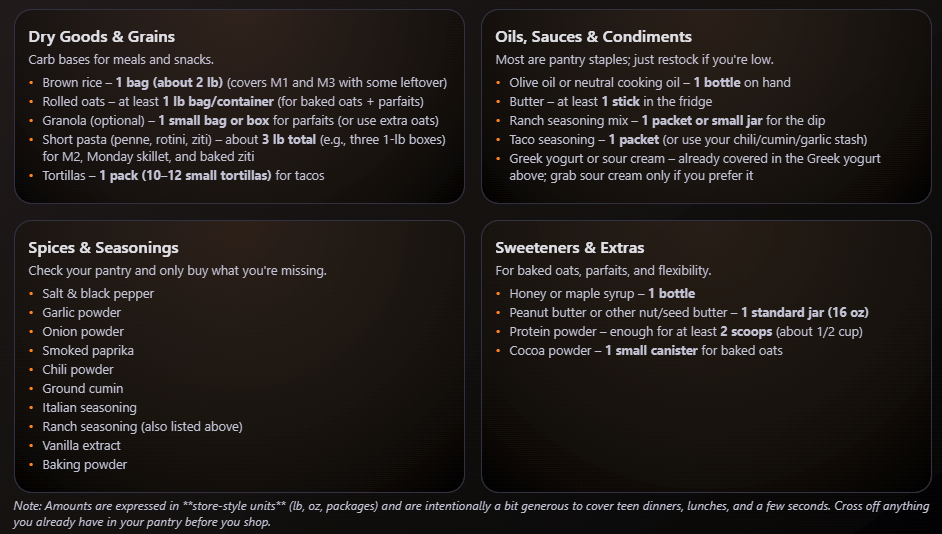
- grocery-list.html
Includes:
- Items grouped by section (produce, meat, dairy, pantry, etc.).
- Units that match how you actually buy things:
- Cans, packs, pounds, heads, etc.
- Enough structure that it’s easy to toss into an online order or walk the store with.
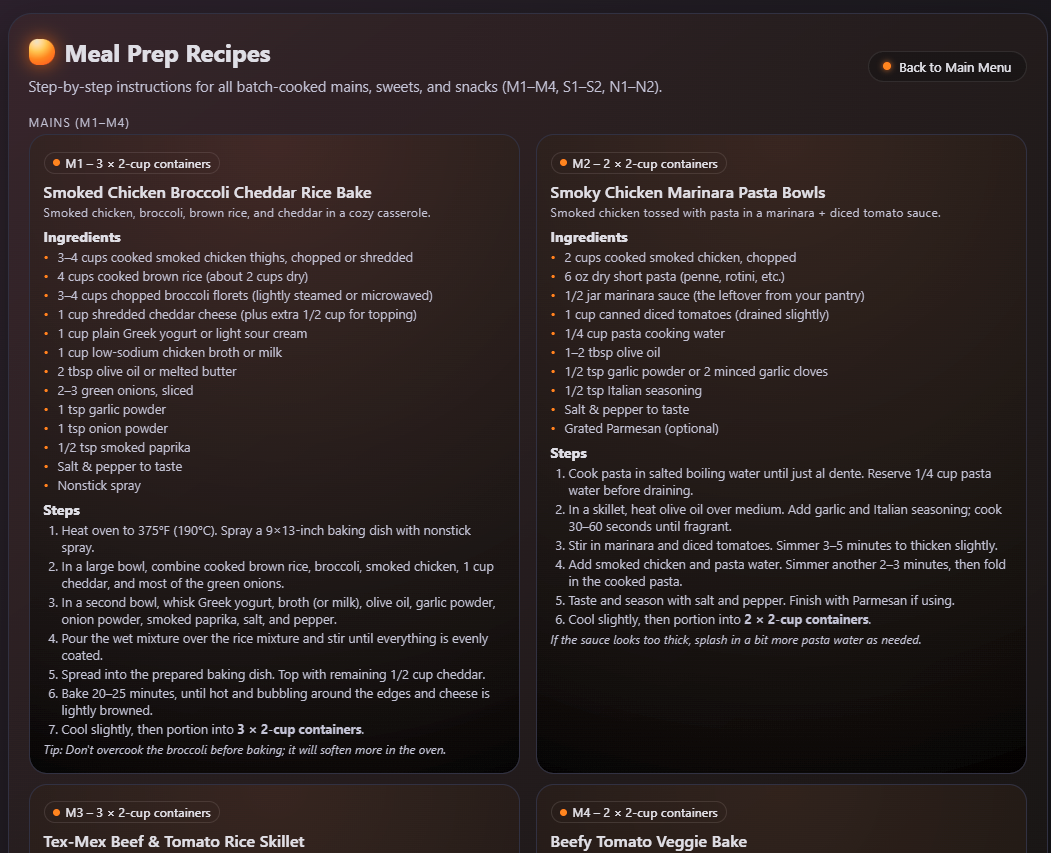
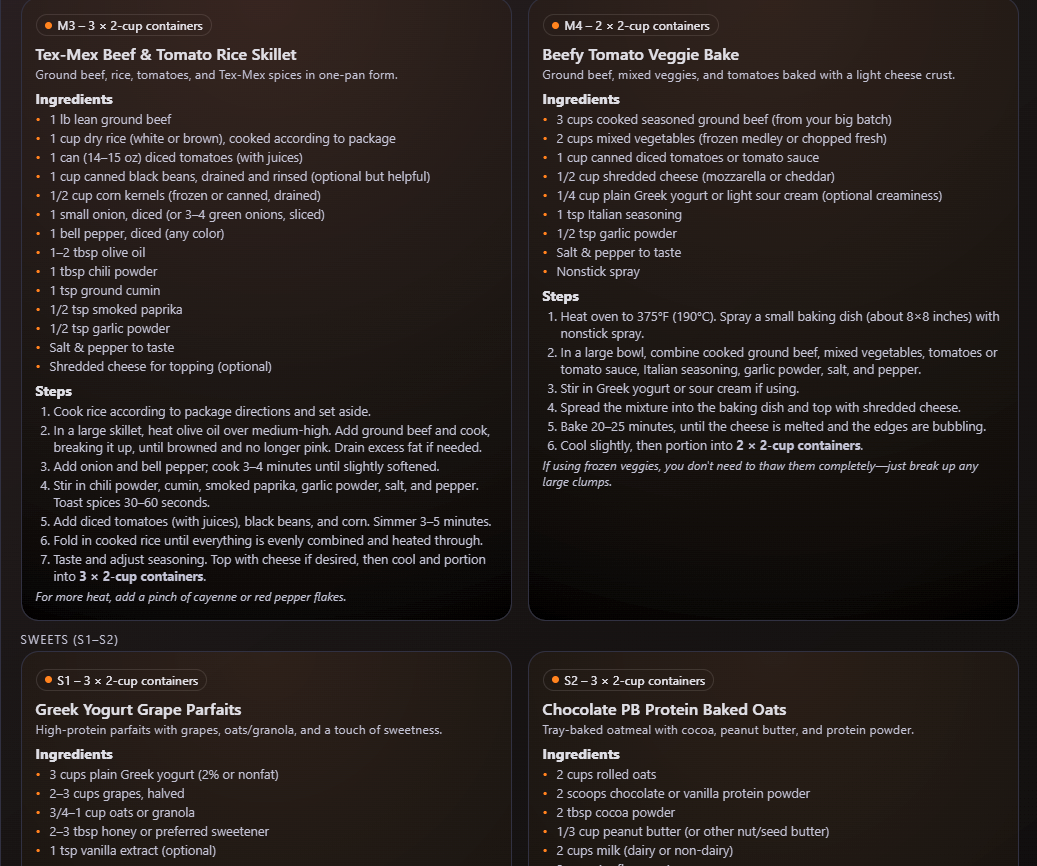
- meal-prep-recipes.html
Includes:
- One card per recipe (both my containers and teen dinners).
- Each card:
- Title
- Estimated macros
- Ingredients
- Directions
- Optional re-use later if we want to repeat a hit without re-running the whole engine.
4. Hosting: From Unraid to the Kitchen Tablet
Once the files are generated:
- I drop the HTML files into a directory on my Unraid server.
- A Caddy container serves them as a simple static site on my home network.
- Our kitchen tablet (running Home Assistant UI) has a tab that points to that URL.
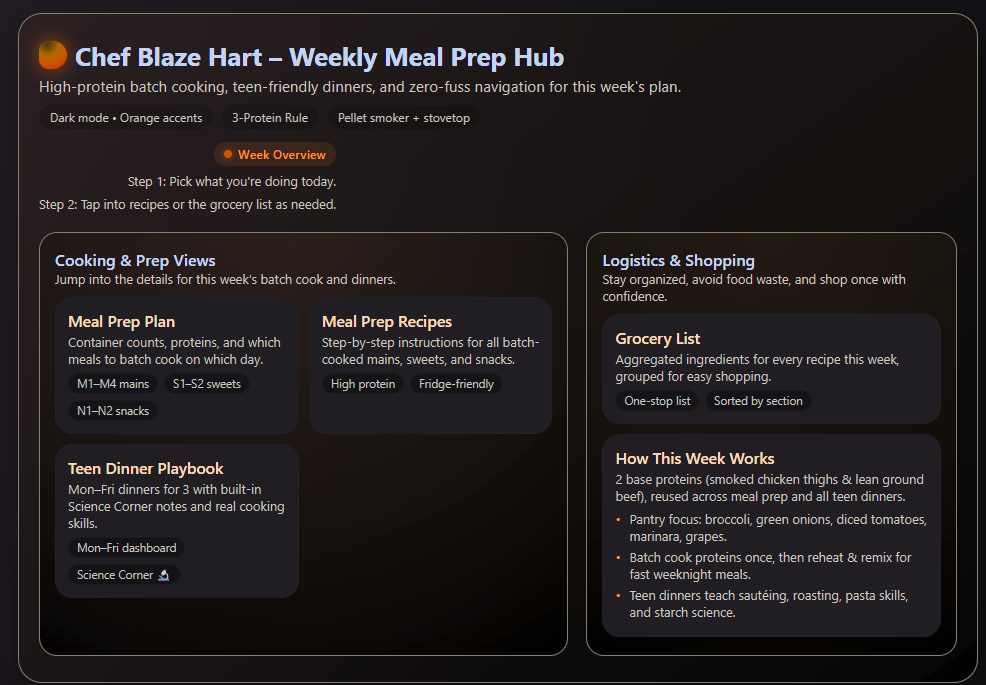
On the tablet, the flow looks like:
- Open Home Assistant.
- Tap the Meal Prep tab.
- See:
- The week’s plan.
- Teen dinners.
- Grocery list.
No PDFs. No digging through folders. No “Dad, what are we supposed to make tonight?”
Lessons Learned (The Short Version)
A few big takeaways from building this:
- Explicit instructions matter.
The more concrete the constraints, the better the AI behaves. - Roles matter.
Telling the AI it’s an “expert meal prep chef and nutrition coach for a busy family” works way better than “give me some recipes.” - Layout matters.
Defining specific outputs (plan, teen dinners, grocery list, recipe cards) makes the result usable, not just interesting. - Review before render.
Confirming the lineup before generating HTML saves a ton of time. - History matters.
MealHistory.md keeps the engine from repeating itself and lets us lean into favorites. Also allows us to push past the conversations memory. - PDFs are fine for v1, but HTML on a local web server is where it really clicks.
Try It Yourself: GPT Instructions + MealPrepInstructions.md
Here’s a starting point you can adapt.
Below you can download the Instructions and MealPrepInstructions I used for a custom GPT. Give it a try! Create a new GPT and give it the below instruction set and then include the MealPrepInstructions.md file as a knowledge source. You can also feed it to ChatGPT or your favorite AI and ask it to modify it to meet your specific needs.