
GitLab CE in the Homelab: From Zero to GitOps

Posted to simplyoverengineered.com
It started with a Docker update.
I had one machine, my Unraid NAS TheIronArmada, running a stack of containers. Media server, some automation tools, a few other things. Life was good. Then I clicked the update button on one of them, something broke in a way I didn't immediately understand, and I spent the next few hours either trying to fix it or eventually just nuking the container and starting over from scratch.
If you've run a homelab long enough, you know this story. You also know the specific frustration of staring at a container that was working yesterday, trying to remember exactly how you had it configured, what environment variables you set, what that one bind mount path was. It's all in your head, and your head is not a reliable backup.
That experience changed how I thought about my homelab. It planted a question I couldn't un-ask: what if I had a record of everything?
Infrastructure as Code: I'm Not Exaggerating When I Say This Changed Everything
I was studying for my AWS Cloud Practitioner cert when I kept running into the concept of Infrastructure as Code. And look, I've had plenty of "oh that's cool" moments while building this lab. This was not that. This was a full stop, sit back, why isn't everyone talking about this constantly moment.
The idea is simple on the surface. Instead of remoting into machines and clicking through UIs to configure things, your infrastructure lives in files. Config files, YAML, Docker Compose definitions, Terraform. Everything in one place, readable by humans, tracked in version control, and deployable from a single source of truth.
But the implications of that kept unfolding the more I thought about it.
Think about what version control actually gives you. Every change you make is a commit. Every commit has a message explaining what changed and why. You can look at your infrastructure from three weeks ago as easily as you can look at what's running right now. And if something breaks? You don't have to remember what you did. You don't have to dig through notes or check a dozen different places. You just look at the diff, find the change that caused the problem, and roll it back. Literally one command.
That Docker update incident I mentioned? If my stack had been in a Git repo, the recovery would have taken five minutes instead of five hours. I'd have seen exactly which image tag changed, exactly what config was different, and I could have pinned it back to the last working state without guessing.
But it goes further than just rollbacks. Think about what it means to have your entire homelab infrastructure described as code. You want to add a new service? Write the Compose file, commit it, push it. You want to know why something is configured the way it is? Check the commit message from whenever you set it up. You have a catastrophic hardware failure and need to rebuild everything from scratch? Your entire lab is sitting in a repo waiting to be deployed. No tribal knowledge, no "I think I set that up this way," no starting over. Just clone and run.
I started thinking about every part of my homelab that was currently living exclusively in my head. The Traefik reverse proxy config. The Prometheus scrape targets. The AdGuard DNS rewrites. The LXC container settings on my Proxmox host. None of it was documented anywhere that would survive me having a bad day and forgetting. All of it was one bad upgrade away from becoming a mystery I'd have to solve from scratch.
IaC fixes that. Permanently. And the moment that fully landed for me I knew I wasn't going to build another thing in this lab without version controlling it first.
That meant I needed a Git server. And once I knew I needed one, I needed to pick the right one.
Why GitLab and Not the Easier Options
There's a version of this story where I grab Gitea, spin up a container in fifteen minutes, and call it done. Gitea is fine. It's lightweight, simple, and plenty of homelabbers use it happily.
I didn't do that.
The honest reason is that I care about understanding the tools that actually run production infrastructure, not just the ones that are easiest to spin up at home. When I laid out my options:
- Gitea / Forgejo: Near-zero resource overhead, dead simple to run. But nobody is running Gitea to manage production deployments at scale. It's a homelab convenience tool.
- GitLab CE: Heavy, complex, opinionated. It's also what engineering teams at real companies use to run CI/CD pipelines, manage infrastructure as code, and ship software. The merge request workflow, pipeline architecture, built-in container registry, Terraform state backend. This is the real thing, not a simplified version of it.
Running something easy when a harder option exists and teaches you more isn't a win. It's just comfortable. GitLab is what I wanted to actually understand, so GitLab is what I ran.
To be fair, I already had services running before I'd ever heard the term Infrastructure as Code. Traefik, AdGuard, Prometheus, Grafana, Frigate, the whole monitoring stack. None of it was in version control because I didn't know yet that it should be. But the moment IaC clicked, I stopped adding anything new to the roadmap until this was in place. The list of things I want to build is long, and none of it was getting touched until I had a proper foundation under it.
The Setup: More Interesting Than Expected
GitLab CE is not a container you throw in a docker-compose.yml and forget about. It's a full application platform, and it runs best on dedicated hardware with real resources behind it.
I spun up a Ubuntu 24.04 VM on WatchTower (my Proxmox host) with 6GB of RAM allocated specifically for GitLab. Named it catalog and dropped it on 192.168.1.243. For those keeping score at home, yes, that's another Halo reference. Domain, Monitor, Catalog, The Ark. The theme is very much intentional. Anyway. Installed GitLab using the official Omnibus package. No Docker wrapper, no Compose file, just the GitLab installer managing its own internal stack the way it was designed to be managed.
curl https://packages.gitlab.com/install/repositories/gitlab/gitlab-ce/script.deb.sh | sudo bash
sudo EXTERNAL_URL="http://catalog.soe" apt install -y gitlab-ce
The install takes a while and looks like it's hanging. In my case it actually was hanging, but that was entirely my own fault. WatchTower is an old gaming PC, an i7-4790K with 32GB of RAM running a good chunk of my homelab stack. I was being stingy with the memory allocation, tried to get away with 6GB and GitLab was not having it. Had to shut everything down, go back into Proxmox, and bump it up. We landed on 10GB before it would behave. That's the GitLab tax. It's not a lightweight tool and it doesn't pretend to be. You pay for the feature set in RAM and that's just the deal.
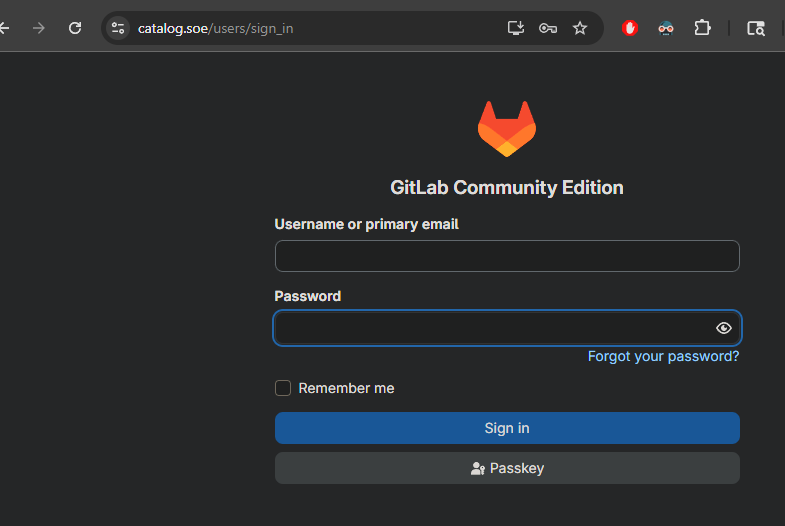
Once it had what it needed, GitLab came up at catalog.soe on my internal .soe domain, served through Traefik with TLS certificates from my internal Step-CA. HTTPS, internal domain, trusted cert. It looks like actual infrastructure.
SSH Through Traefik: The Detail That Actually Matters
This is the part of the setup I'm most proud of, because it's what separates "I got GitLab running" from "I got GitLab running correctly inside my network."
GitLab's SSH clone URLs default to port 22. My internal .soe domain routes through Traefik, which is already handling HTTPS termination for everything on the network. Standard SSH on port 22 doesn't play well with that setup.
The solution is TCP passthrough on port 2222. Traefik forwards port 2222 traffic directly to GitLab without terminating it. No TLS interference, the SSH handshake goes straight through.
After configuring that, I could clone repos using:
ssh://git@catalog.soe:2222/soe/homelab-infra.git
And when I SSHed in to verify:
Warning: Permanently added '[catalog.soe]:2222' (ED25519) to the list of known hosts.
Welcome to GitLab, @soe!
That message hits different when you've been fighting the network config to get there.
[Screenshot: SSH clone working, GitLab welcome message]

The Pipeline: The Reverse Proxy Rabbit Hole
Once GitLab was up and SSH was working, I created my first repo (homelab-infra) and set up a CI/CD pipeline. While I didn't have immediate plans to actively use Terraform, I went ahead and wired up a full validate, plan, and apply pipeline using the official Terraform Docker image against a bpg/proxmox provider. The foundation would be there when I needed it.
Getting the pipeline to actually run meant first getting the GitLab Runner to talk to GitLab correctly, and this is where the night got long.
The runner kept failing with TLS certificate errors. I was using Claude to troubleshoot and it kept cycling me through the same loop: check the cert chain, re-trust the Step-CA root, reconfigure the runner, run a curl test, get the same error. It wasn't getting anywhere because it was treating this as a generic TLS problem. It had no model of my specific network topology: that Traefik was sitting in the middle, that catalog never sees a raw HTTPS connection, that the encryption was already handled before traffic ever reached the VM. I had to step back, stop executing suggested steps, and actually map the traffic flow myself.
Here's what I was missing. Traefik sits in front of everything on my network. When a client hits https://catalog.soe, Traefik handles the TLS handshake, validates the certificate, decrypts the traffic, and forwards plain HTTP to whatever's behind it. That's the whole job of a TLS-terminating reverse proxy. The backend never sees an encrypted connection because the encryption was already handled upstream.
GitLab didn't know any of that. As far as its internal nginx was concerned, it was a public-facing HTTPS server. It had an external_url of https://catalog.soe, so it was sitting there waiting for port 443 traffic with TLS. What it was actually getting was plain HTTP from Traefik on port 80. The errors made complete sense once I understood what was actually happening at the boundary: GitLab was upset because it was never seeing the HTTPS stream it expected, and it was never going to, because Traefik had already dealt with that before the traffic ever reached it.
The fix was two lines in gitlab.rb:
##! **Override only if you use a reverse proxy**
##! Docs: https://docs.gitlab.com/omnibus/settings/nginx.html#setting-the-nginx-listen-port
nginx['listen_port'] = 80

##! **Override only if your reverse proxy internally communicates over HTTP**
##! Docs: https://docs.gitlab.com/omnibus/settings/ssl/#configure-a-reverse-proxy-or-load-balancer-ssl
nginx['listen_https'] = false
The first tells GitLab's internal nginx to stop waiting on 443 and just accept traffic on 80. The second explicitly tells it that TLS is not its responsibility. The external_url stays as https://catalog.soe because that's GitLab's public-facing identity and what it uses to construct clone URLs and redirects. It still needs to know it's an HTTPS service. It just doesn't need to be the one handling the encryption anymore, because something upstream already did.
Once that landed, the runner registered, the pipeline ran, and the validate job went green. That green checkmark after all of that was a proper victory.

Renovate Bot: The Piece That Made It Real
A pipeline that deploys when you push is useful. A pipeline that tells you when your dependencies are out of date and opens a merge request to update them is something else entirely.
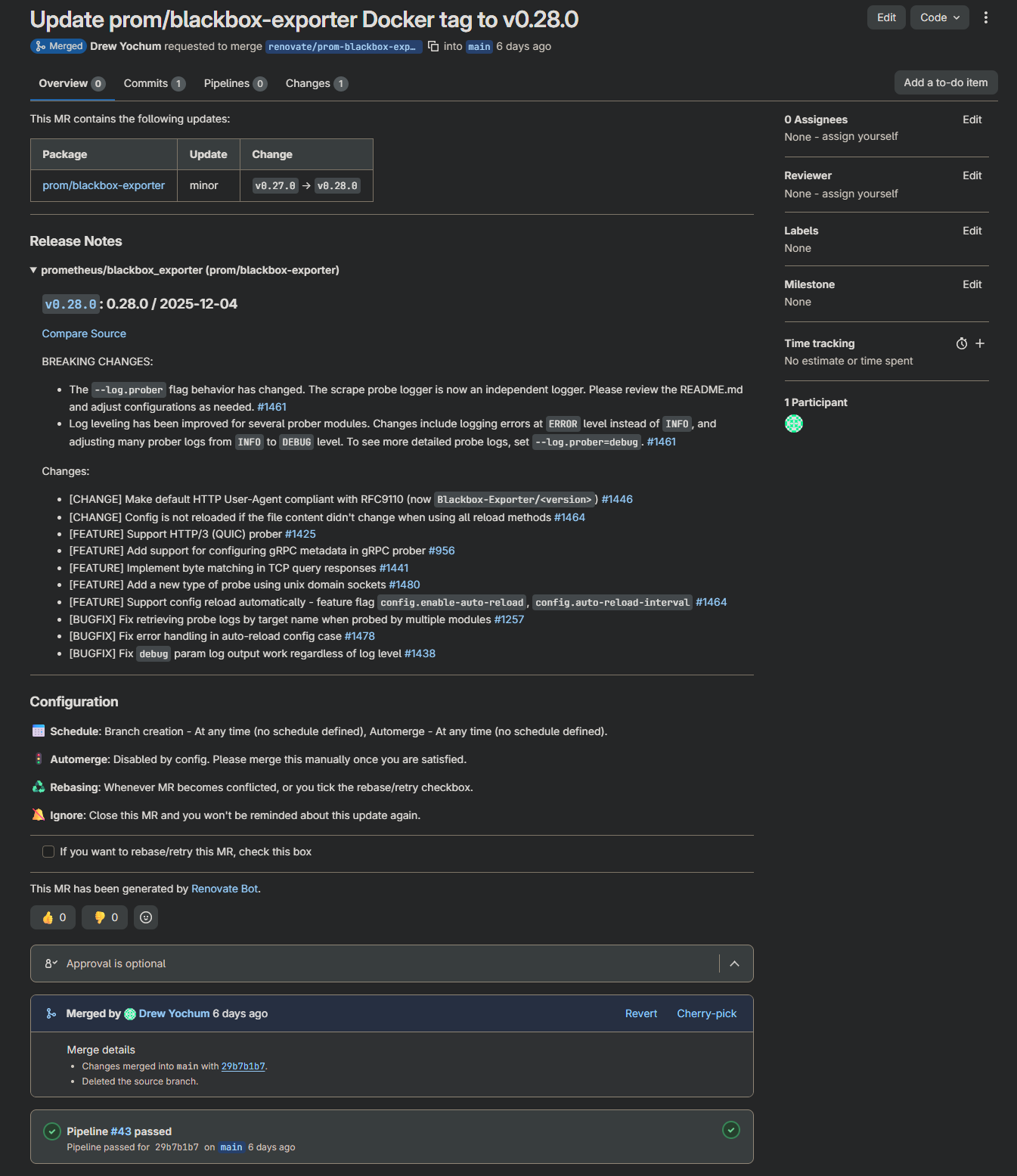
I set up Renovate Bot against the repository. It scans my docker-compose.yml files, compares pinned image tags against Docker Hub and GHCR, and opens MRs for anything out of date on a schedule. No more "I wonder if that image has updates." Renovate just tells me, with a ready-to-merge MR attached.
This immediately ran into a real-world detail worth knowing: image tag format inconsistencies. grafana and n8n don't use the v prefix on their tags. prom/* images do. Renovate needs to know this explicitly or it gets confused about what counts as newer.
Automerge in Renovate is deliberately disabled. My DNS runs through AdGuard and my reverse proxy is Traefik. If either of those goes down unexpectedly before I leave for work, that's a real problem. Manual approval on every MR is a feature here, not a limitation. Renovate surfaces the update, the pipeline validates it, and I merge when I'm ready.
Wait, IaC Doesn't Cover Everything
Here's something that took me a minute to think through. IaC is great for rolling back configuration changes. Wrong image tag? Revert the commit, redeploy. Bad environment variable? Same thing. Git history is your safety net.
But what about the database?
If Vaultwarden ships an update that includes a schema migration and something goes wrong mid-update, reverting the Compose file puts the old container back. The problem is the old container is now staring at a database schema it doesn't understand because the migration already ran. Git can't undo that. You need an actual database backup taken right before the deployment happened.
This is especially real for Postgres-dependent applications. Vaultwarden and AFFiNE both run against PostgreSQL 18 on TheIronArmada. n8n and Grafana on the monitor stack use SQLite. Any of them could ship an update tomorrow that touches the schema.
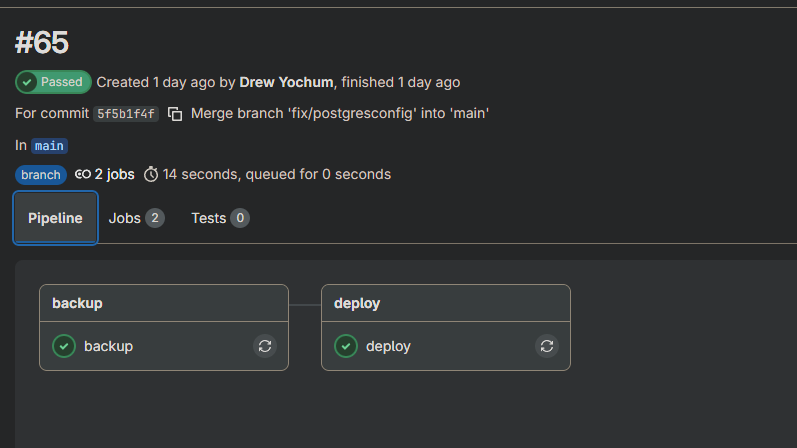
So the pipeline got a backup stage.
Before any deployment that touches a stateful service, the pipeline runs a backup job first. For Postgres services it connects directly from the runner to TheIronArmada's Postgres instance, runs pg_dump in custom format, and SCPs the dump across. For SQLite services it SSHes into the monitor LXC and uses docker cp to pull the database files out of the running containers. Everything lands at /mnt/user/backups/homelab/pre-deploy/ on TheIronArmada, tagged with the commit SHA so each backup is traceable back to the exact git state it preceded.
pre-deploy/
  a3f2b1c_20260308_231542/
    vaultwarden_a3f2b1c_20260308_231542.dump
    affine_a3f2b1c_20260308_231542.dump
    n8n_a3f2b1c_20260308_231542.sqlite
    grafana_a3f2b1c_20260308_231542.db

The backup stage only runs when the relevant Compose files actually changed, so it's not firing on every single push. And critically, if Postgres isn't reachable when the backup job runs, the pipeline stops completely. Nothing deploys until there's a verified restore point.
IaC handles the infrastructure. The backup stage handles the data. Together they cover the rollback story end to end.

Bringing The Ark Into the Fold
The Ark is my Raspberry Pi 4 HA backup node. It runs AdGuard and Traefik in standby, with Keepalived ready to promote it to primary if the Domain LXC goes down or its host WatchTower goes down. DNS and reverse proxy failover, automatic, zero manual intervention required.
Getting it into the pipeline was straightforward since it's Ubuntu and the stack is small. It has its own docker-compose.yml files in the repo under ark/adguard/ and ark/traefik/, and the deploy job handles it the same way it handles everything else: diff the changed files, SSH in, pull, restart.
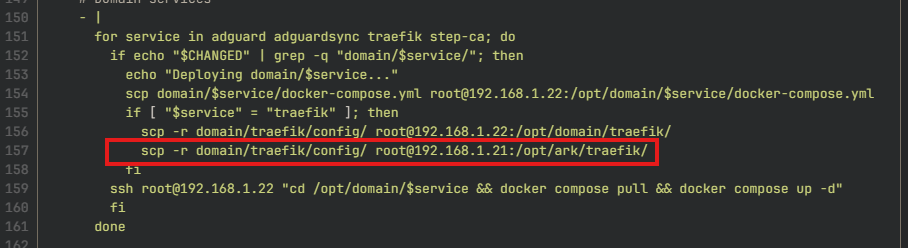
The interesting part is the Traefik config sync. The Ark doesn't have its own Traefik configuration. It mirrors Domain's config exactly, which is the whole point. So whenever domain/traefik changes in the repo, the pipeline pushes the config to both Domain and The Ark in the same deploy job:
if [ "$service" = "traefik" ]; then
  scp -r domain/traefik/config/ root@192.168.1.22:/opt/domain/traefik/
  scp -r domain/traefik/config/ root@192.168.1.21:/opt/ark/traefik/
fi
One commit, one pipeline run, both nodes in sync. The Ark is always running the same config as Domain without any separate maintenance step.
What's Running Now
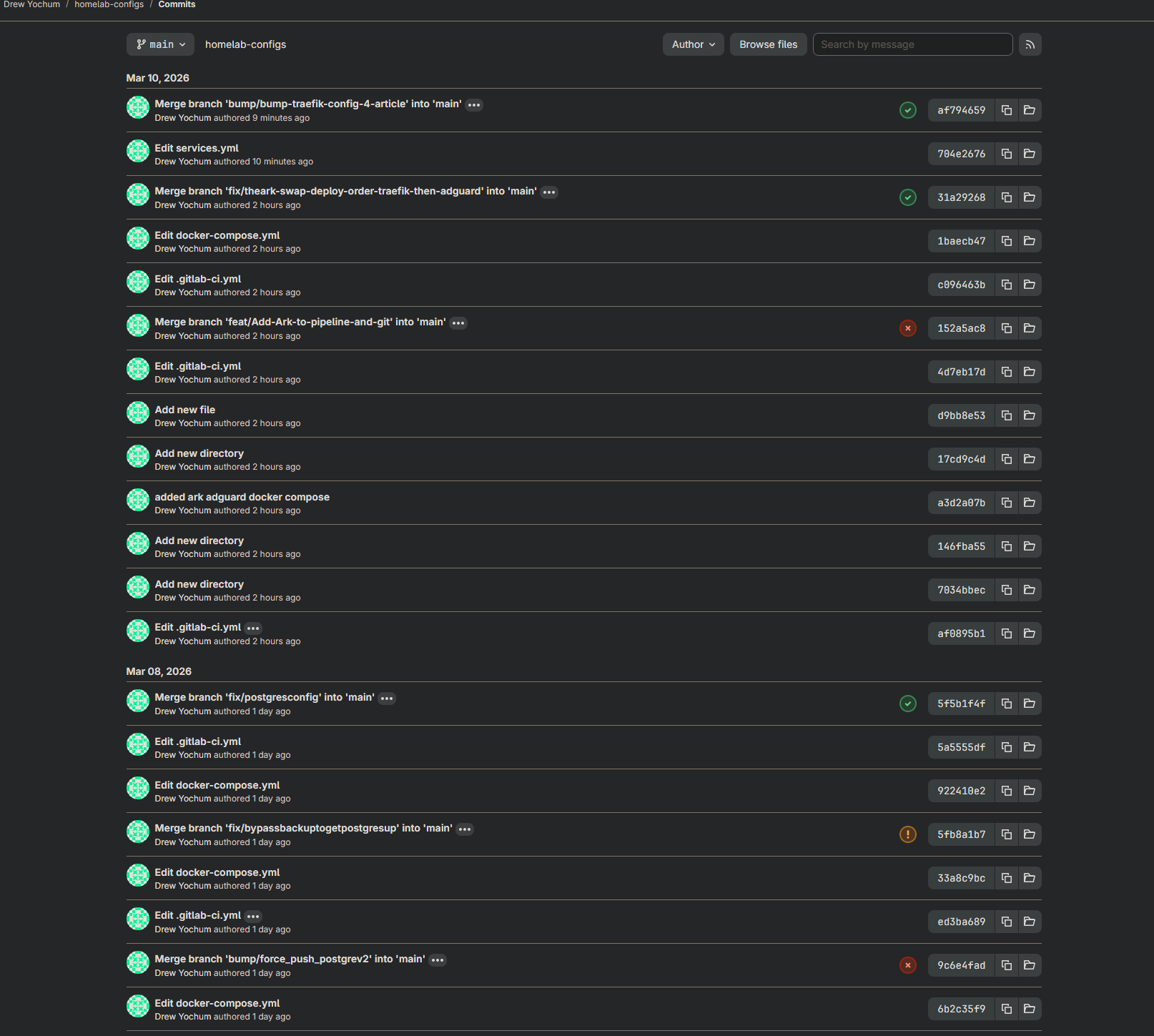
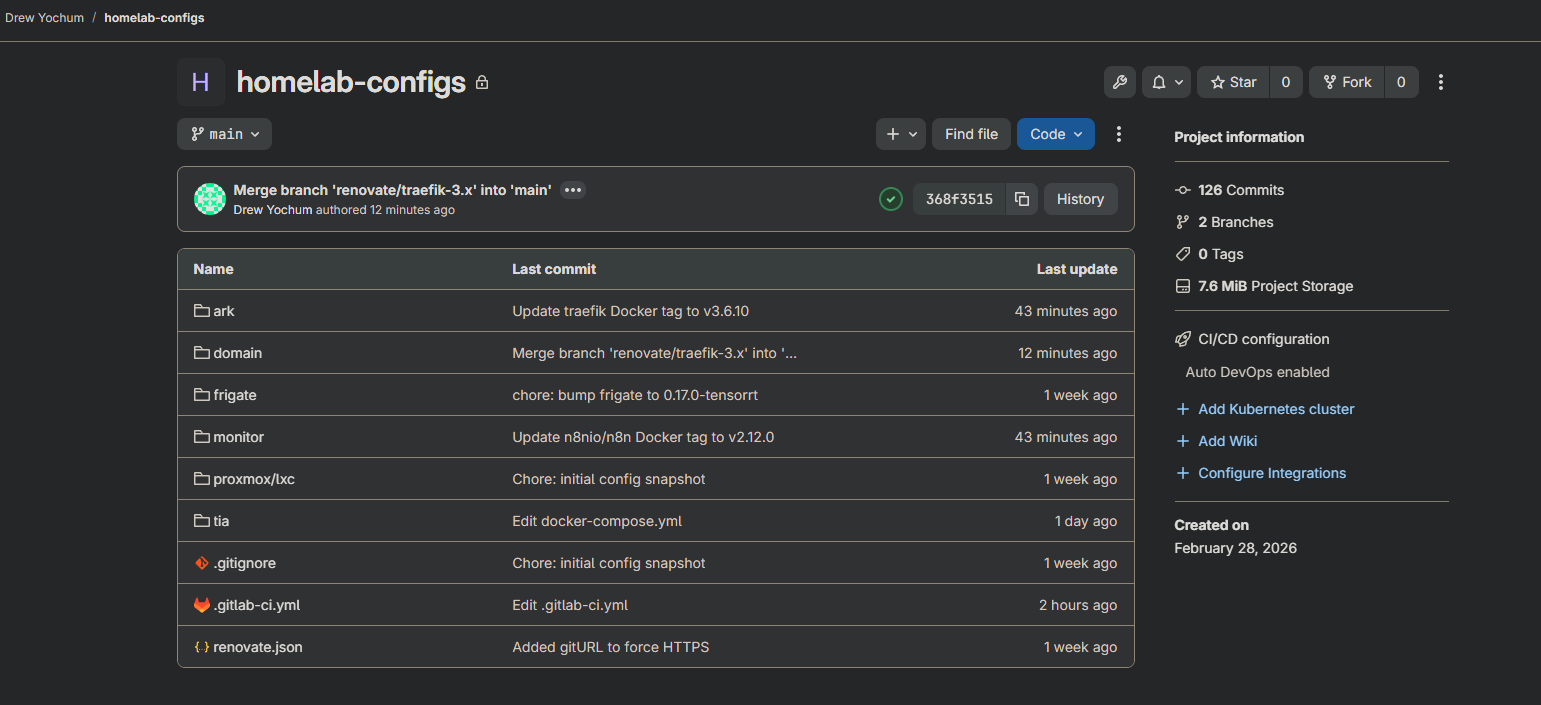
The full GitOps loop is operational across the lab:
- GitLab CE running at
catalog.soe, SSH on port 2222 through Traefik TCP passthrough homelab-configsrepo tracking Compose files and configs for every service- Terraform pipeline (validate → plan → manual apply) in
homelab-infraready for Proxmox IaC - Renovate Bot scanning for image updates and opening MRs on schedule
- Deploy pipeline scoped by
git diff, only changed services get touched - Pre-deployment backup stage for all stateful services, tagged by commit SHA
- The Ark fully in the pipeline, Traefik config synced from Domain automatically
- Vaultwarden and PostgreSQL on TheIronArmada under version control (more TIA services coming)
Every change has a paper trail. Every stateful deployment has a restore point. Every update goes through a merge request before it touches anything live.
What's Coming Next
Extending GitOps to Unraid. TheIronArmada's Docker stack is partially in the pipeline now — the groundwork is there but there's still a ways to go before it's fully under version control. The containers are GUI-managed in Unraid today, which means getting them into Compose files and wired into the deploy pipeline properly is an ongoing project. It's in motion, just not finished.
Terraform state management for existing infrastructure. The pipeline can plan and apply new Proxmox resources, but my existing LXCs and VMs weren't created through Terraform. Importing them into state is on the list. Once they're tracked, drift detection becomes automatic.
More of the lab, deeper into the tools. GitLab is a deep platform and I've barely scratched the surface of what it can do. Environments, approvals, the native Terraform state backend, the container registry. The lab will keep growing and the pipeline will grow with it.
The Honest Take
GitLab is not the easy choice. It eats RAM, the initial setup has real surface area, and there are a dozen small configuration details that will bite you. VT-x, entrypoint overrides, SSH passthrough, certificate trust in CI. Every one of those details cost me time.
But every one of those details is also something I now understand. Not from a tutorial, not from a YouTube video, from actually fighting through it at eleven o'clock at night with a terminal open and a problem to solve.
That's the point of building it this way. The friction is the education.
If you want to see more of how this lab is being built, configuration files, pipeline code, and the reasoning behind the decisions, that's what this blog is for.
Screenshots from the running environment are embedded above. GitLab dashboard, active pipelines, Renovate MRs. Everything shown is live.
Part of the Simply Overengineered homelab series.